AI Image Tools for Photo to Art, Professional Photos, and Photo Editing
Create artistic portraits, professional headshots, restored family photos, anime styles, and e-commerce-ready images with practical AI workflows.
Choose a workflow based on what you want to create, restore, edit, or prepare from your photo.
Start with the Right Workflow
Choose a workflow based on your end goal, then explore the tools built for that task.
Photo to Art
Turn portraits, pets, and landscapes into painting, sketch, watercolor, cartoon, and other artistic styles.
Professional Photos
Create headshots, LinkedIn images, passport photos, and clean team-profile visuals from your existing photos.
AI Photo Editing
Remove objects, retouch portraits, clean backgrounds, and improve practical image details with focused editing tools.
Photo Restoration
Repair old photos, improve damaged memories, and bring faded family images back into usable condition.
Anime & Cartoon
Transform photos into anime, cartoon, and avatar-style visuals for profiles, fan art, and playful social content.
E-commerce Tools
Prepare product photos, white-background images, and listing-ready visuals for stores, marketplaces, and campaigns.
Popular Tools People Start With
Jump into the most-used tools for profiles, restoration, cleanup, and creative image transformations.
AI Headshot Generator
Create polished headshots for resumes, team pages, bios, and business profiles.
AI LinkedIn Photo Generator
Turn everyday portraits into cleaner LinkedIn-ready profile photos.
Passport Photo Maker
Create passport-style, visa, ID, and white-background images from one photo.
Old Photo Restore
Repair damaged family photos and improve faded or low-quality memories.
Photo to Oil Painting
Turn a portrait or pet photo into a framed-art style oil painting.
Watermark Remover
Clean up distracting text or marks from practical image assets.
Add White Background
Standardize profile photos and product images with a clean white background.
YouTube Thumbnail Maker
Build stronger creator visuals when your original photo needs more impact.
One Platform for Practical Image Workflows
Use one platform to create work-ready profile photos, restored memories, creator visuals, and stylized outputs from your existing photos.

One-Click Styles, Filters and Photo Upgrades
Start from one photo and generate style variations, profile upgrades, and creator-friendly visuals with MediaAI. Use guided tools instead of guesswork when you want a fast result.
Explore Style ToolsMake Photo Editing Simple with AI
Edit smarter and faster. With MediaAI you can remove backgrounds, retouch portraits, restore old photos, swap outfits, or merge multiple images through focused tools built for real photo tasks.
Edit Photos Online

Create Creator Visuals, Avatars and Character Styles
Build stylized outputs from your photos for action figures, dolls, avatars, and playful social visuals when you want something more expressive than a standard portrait.
Explore Creator ToolsWhy Choose MediaAI for Practical Image Tasks
Built for Real Photo Tasks
Use focused workflows for professional photos, restoration, cleanup, creator assets, and style variations instead of relying on generic prompts.
Fast Tool-Based Workflows
Choose the workflow that matches your goal and generate a usable result quickly, whether you need a profile photo, restored memory, product visual, or creator asset.
Photo-Based Results
MediaAI starts from your original image so portraits, memories, and product visuals stay closer to the source you already trust.
Practical and Creative in One Place
Move between professional photos, restored memories, creator visuals, and photo-to-art outputs without switching platforms.
Create Results in 3 Simple Steps
Upload a photo, choose the right workflow, and get a usable result in under a minute.
Upload Your Photo
Start with a clear portrait, family photo, product image, or creator asset that you want to improve or transform.
Choose the Right Tool
Pick the workflow that matches your goal, such as professional photos, old photo restoration, creator visuals, practical editing, or photo-to-art.
Generate and Download
Create the final result and download it for profiles, documents, archives, creator work, or personal projects.
Used for Profiles, Memories and Creator Projects
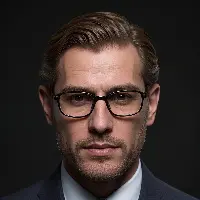
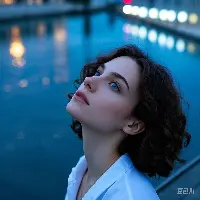
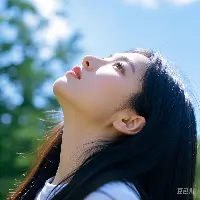
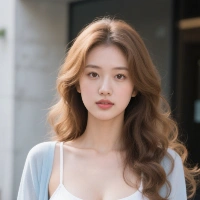
See how people use MediaAI for practical image tasks
Best Use Cases for MediaAI Tools
Start with the workflow that matches your photo task
LinkedIn and Resume Photos
Create polished profile images for job search, networking, team pages, and other professional first impressions.
Passport and ID Images
Turn a phone photo into a cleaner passport-style, visa, badge, or white-background image for document use.
Old Photo Restoration
Repair fading, scratches, blur, and wear in family photos before archiving, printing, or sharing them again.
YouTube and Social Visuals
Build thumbnails, creator graphics, and stronger social visuals when your original image needs a clearer, bolder look.
Product and Listing Visuals
Use cleanup, background edits, and mockups to make product images more usable for stores, marketplaces, and campaigns.
Photo to Art and Personalized Gifts
Turn a restored or well-composed photo into oil painting, watercolor, cartoon, or other artistic outputs for keepsakes and gifts.
Frequently Asked Questions About MediaAI Tools
Quick answers about professional photos, restoration, photo art, and practical AI image workflows.
What can I create with MediaAI?
You can create AI headshots, LinkedIn profile photos, passport photos, restored old photos, photo-to-art styles, thumbnails, and other practical image results from your photos.
Is MediaAI free to try?
Yes. Many tools offer a free starting workflow, so you can test the quality and basic experience before deciding whether you need more generations or advanced usage.
Which MediaAI tools are best for professional profile photos?
Start with AI Headshot Generator, AI LinkedIn Photo Generator, and Passport Photo Maker if you need polished, work-ready profile photos, resumes, badges, or official-looking portraits.
What makes MediaAI different from general AI art tools?
MediaAI focuses on practical photo-based tasks like headshots, profile images, passport photos, restoration, and creator visuals, not just open-ended art generation.
How long does it take to create results?
Most workflows finish in seconds. Larger files or more complex transformations can take longer, but the core tools are designed for fast, practical results.
What image formats are supported?
Most tools support common image formats like JPG, PNG, and WebP. For the best results, upload a clear source image with a visible subject and good lighting.
Can I use my generated images commercially?
In many cases, yes, as long as you have the right to use the original image and follow the platform's current terms for commercial usage.
Ready to start with a practical AI image workflow?