Logout
Are you sure you want to logout? You will need to log in again to continue using.
My Points
0
Available Points
💡 Points Usage Guide
Points can be used for AI features, each generation consumes corresponding points.
Register to get free points, VIP users enjoy more benefits!
Upload your photo to get started
Supported formats: JPG, PNG, WebP (Clear photos with good lighting recommended for best photo editing results)
0/200

Optional details for better character results.

Generating...

Bring Photos to Life with AI-Powered Person Integration! Generator

Transform any photo into personalized art, social media gold, custom gifts, or professional content with AI magic. Perfect for birthdays, marketing campaigns, home decor, educational projects, and everything in between!

After Add Person To Photo transformation
Original photo
Before
After

Unique Add Person To Photo Features

Add Person To Photo style example
Seamless family reunion with AI-added guest

Contextual Facial Synthesis

Generates lifelike faces that match the photo’s age, ethnicity, and emotional tone—no generic templates. Add a crying sibling to a sad moment or a smiling toddler to a birthday party without breaking the scene’s vibe. See how it works.

Add Person To Photo effect example
Matching outfits in a crowd transformation

Dynamic Lighting Adaptation

Automatically adjusts the added person’s lighting to perfectly match the existing photo’s environment—indoors, sunset, or nighttime scenes all get photorealistic results no manual editing can achieve. Learn steps.

Add Person To Photo quality example
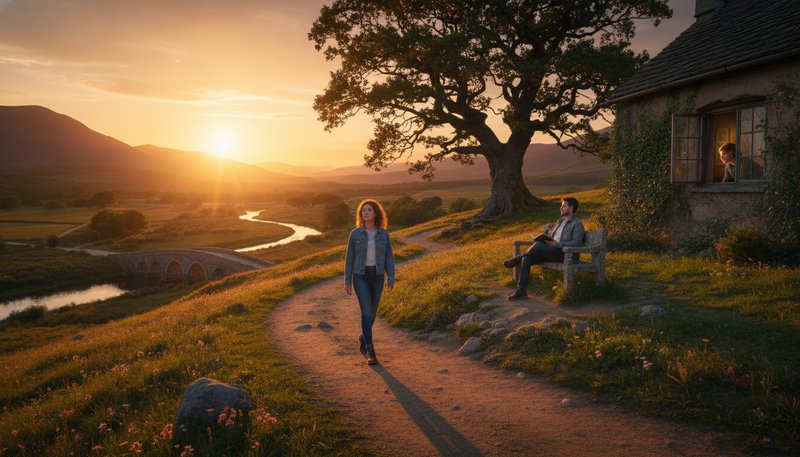
Realistic shadow placement in sunset scene

3D Depth Integration

Uses depth-mapping AI to place people naturally in complex scenes. Add someone walking in the foreground, sitting in the back, or even peeking through a window with accurate parallax and spatial relations. Try it free.

Add Person To Photo advanced example
Weather-matched adventurer in mountain photo

Style-Specific Cloth Physics

Clothing wrinkles, fabric movement, and accessory placement are algorithmically tailored to the photo’s activity. A dancer added to a ballet class will have flowing tutu physics, while a hiker gets realistic backpack straps. See details.

From Birthdays to Branding: How Add Person To Photo Transforms Ideas into Reality

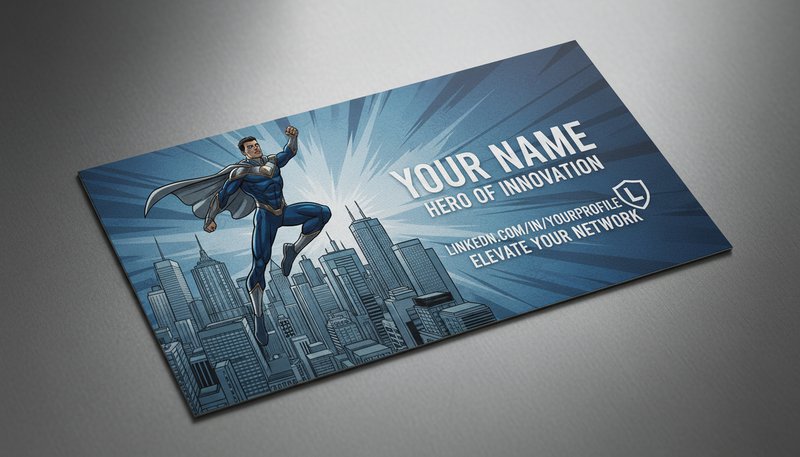
Business Cards with Superhero Vibes

Elevate your LinkedIn profile with a custom card showing you mid-superhero leap over skyscrapers. Perfect for networking events or LinkedIn headers—because who doesn’t want to be the hero of their own story?

A business card featuring a user leaping over a cityscape with a superhero pose.

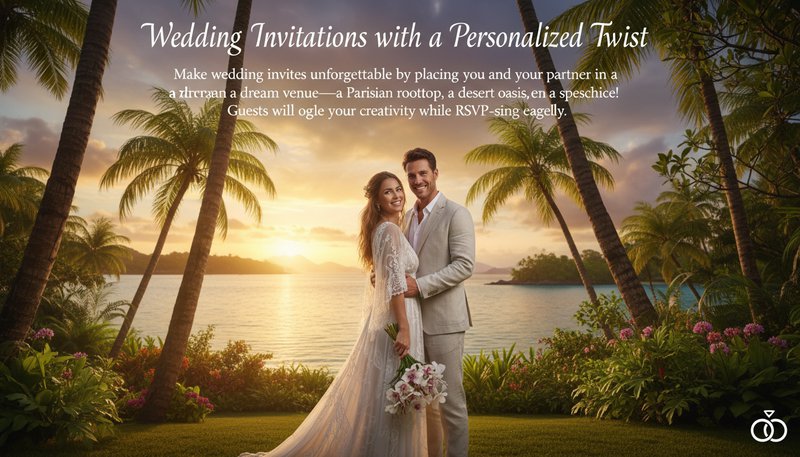
Wedding Invitations with a Personalized Twist

Make wedding invites unforgettable by placing you and your partner in a dream venue—a Parisian rooftop, a desert oasis, or even a spaceship! Guests will ogle your creativity while RSVP-ing eagerly.

A couple smiling in a lush, tropical paradise setting with palm trees and a sunset backdrop.

Virtual Team Building with Custom Avatars

Boost remote team morale by creating quirky avatars of yourself in a virtual meeting room or on a jungle-themed escape room. Add them to Slack profiles or use in Zoom backgrounds for endless laughs.

A team member avatar wearing a pirate hat in a pixelated office with tropical trees in the background.

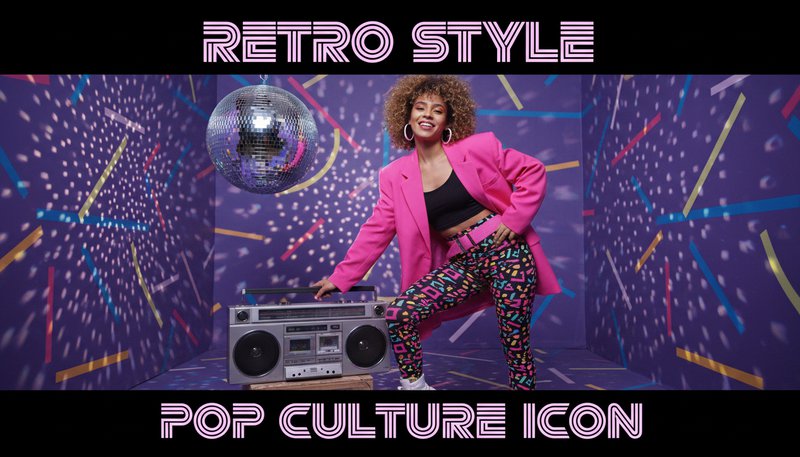
Retro Fashion Blogs with You in the Photo

Become the star of your next blog post by inserting yourself into vintage fashion editorials or 80s music videos. Perfect for TikTok fashion tutorials or Instagram carousels that blend history and personal style!

A user styled in 80s fashion standing beside a retro cassette tape player and disco ball.

Real Users, Real Results

A
Alex CarterPhotographer
★★★★★
This tool saved me hours! I added my client to a historic photo for their family album, and it looked like they were there all along.
J
Jasmine LeeSocial Media Marketer
★★★★★
I create influencer content daily. Adding models to new backgrounds in seconds keeps my workflow lightning-fast and polished.
M
Michael TorresGraphic Designer
★★★★☆
The AI matched the lighting perfectly when I inserted a character into a fantasy scene. Clients are blown away!
S
Sarah KimWedding Planner
★★★★★
Used this to fix a missing guest photo for a wedding collage. The result looked so authentic the family cried tears of joy!
D
David NguyenContent Creator
★★★★★
I added myself to travel photos I missed! The background blending was so smooth, no one guessed it wasn’t real.
L
Lina PatelSchool Yearbook Editor
★★★★☆
Fixed a group photo with a missing student in minutes. The AI even matched their uniform details perfectly!

Turn Your Vision into Reality in 3 Easy Steps!

1

Upload Your Base Photo

Choose a background image—a tropical beach, a medieval castle, or even a cheeseboard! The wilder, the better.

2

Pick Your Style Magic

Select from 50+ styles: anime, photorealistic, watercolor, or even retro pixel art—your future self in a ’90s arcade!

3

Add & Edit Your Figure

Drag your face or body into the scene, tweak size/pose, and watch AI blend you seamlessly into the world!

Frequently Asked Questions

What is Add Person to Photo and how does it work?

Add Person to Photo lets you add people to your photos naturally. Upload your photo and choose a person to add, and the tool automatically matches the lighting, shadows, and scene to make the person look like they were always there. Perfect for adding family members to group photos, creating fun composite images, or filling in empty spaces in your photos.

Will the added person look natural in my photo?

Yes! The tool automatically adjusts the person's appearance to match your photo's lighting, shadows, and overall style. It also matches facial expressions and body angles to fit the scene, so the person blends in naturally and looks like they belong in the photo.

Can I change the person's clothing or style after adding them?

Yes! After adding a person to your photo, you can change their clothing, accessories, and colors using the built-in editor. You can choose from many pre-designed options or even upload your own custom designs.

What types of photos work best?

Clear, well-lit photos work best. You can upload JPEG, PNG, BMP, or WEBP files up to 25MB. For best results, use high-resolution photos (at least 3000x3000 pixels) so the added person looks crisp and detailed.

How long does it take to add a person to a photo?

Most photos are processed in under 15 seconds! More complex scenes or larger images might take up to a minute. You can watch the progress in real-time as the tool works.

Can I add multiple people to one photo?

Yes! You can add up to 10 people to a single photo. You can adjust each person's position, size, and style independently, making it perfect for creating group photos or fun composite images.

Is my photo safe and private?

Yes! Your photos are encrypted and stored securely. They're automatically deleted after 24 hours, and we never share or use your images for anything else. You can also delete your data anytime from your account.

Pillar and Tool Navigation

Tool Page

This tool belongs to the AI Family Photo Tools Hub cluster. Open the hub to compare similar tools and choose the best workflow.

Open pillar page -> AI Family Photo Tools Hub