Logout
Are you sure you want to logout? You will need to log in again to continue using.
My Points
0
Available Points
💡 Points Usage Guide
Points can be used for AI features, each generation consumes corresponding points.
Register to get free points, VIP users enjoy more benefits!
Upload your photo to get started
Supported formats: JPG, PNG, WebP (Clear face photo with good lighting recommended for best character conversion)
0/200

Optional details for better background removal results.

Generating...

Add White Background To Photo: Effortlessly Elevate Every Image Generator

Transform your photos instantly with a crisp white backdrop for social media, personalized gifts, professional branding, home decor, and creative projects. Use cases include Instagram posts, birthday cards, product photos, classroom materials, and more!

After Add White Background To Photo transformation
Original photo
Before
After

Unique Add White Background To Photo Features

Add White Background To Photo style example
Seamless subject isolation with zero background traces

Seamless Background Erasure

Uses neural network algorithms to identify and remove backgrounds with surgical precision, even for objects with complex shapes. Unlike generic tools, we handle translucent materials, fine hairs, and detailed textures without leaving residue, creating clean-cut professional results. See how it works.

Add White Background To Photo effect example
Professional clarity that preserves intricate details

Detail-First Retouching

Preserves every texture and shadow on your subject while erasing the background. Unlike style-altering filters, our AI enhances sharpness and maintains original color integrity – perfect for product listings,证件照, and artistic portraiture. Learn steps.

Add White Background To Photo quality example
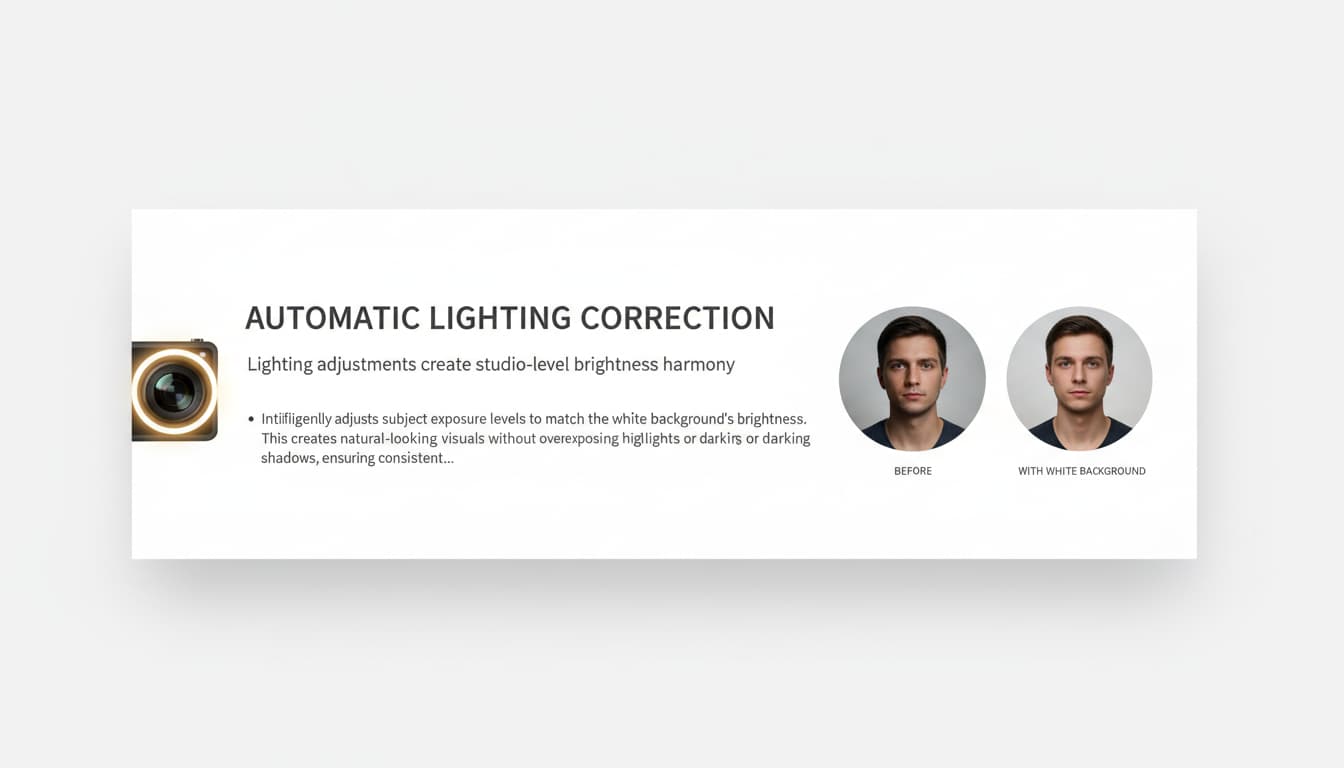
Lighting adjustments create studio-level brightness harmony

Automatic Lighting Correction

Intelligently adjusts subject exposure levels to match the white background’s brightness. This creates natural-looking visuals without overexposing highlights or darkening shadows, ensuring consistent professional appearance across any source image. Try it free.

Add White Background To Photo advanced example
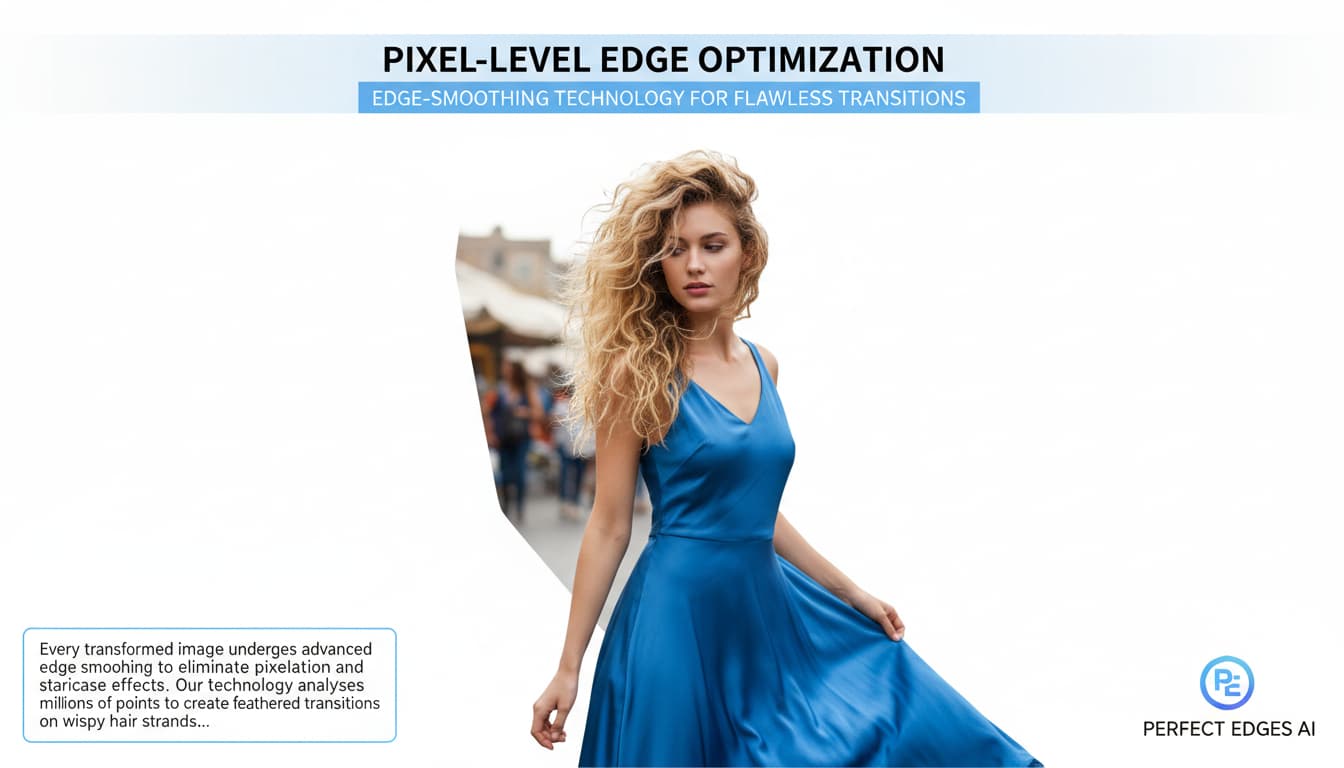
Edge-smoothing technology for flawless transitions

Pixel-Level Edge Optimization

Every transformed image undergoes advanced edge smoothing to eliminate pixelation and staircase effects. Our technology analyzes millions of points to create feathered transitions on wispy hair strands, glass surfaces, and other difficult details – no manual tweaking required! See details.

Real-Life White Background Wins

E-Commerce Perfection

Sell products online? A white background screams professionalism. Showcase handmade jewelry, kitchen gadgets, or boutique fashion so customers focus on *you*, not distracting backgrounds. Perfect for Etsy listings, Amazon ads, or Shopify sites—boost clicks and conversions with zero effort!

A polished e-commerce product photo of a ceramic mug on a white background

LinkedIn Look Sharp

Swap your blurred office backdrop for a sleek white background in your LinkedIn profile pic or presentation. Instantly project confidence and expertise—ideal for job seekers, consultants, or anyone who wants to leave a *clean* impression!

A professional LinkedIn profile photo of a smiling woman with a crisp white background

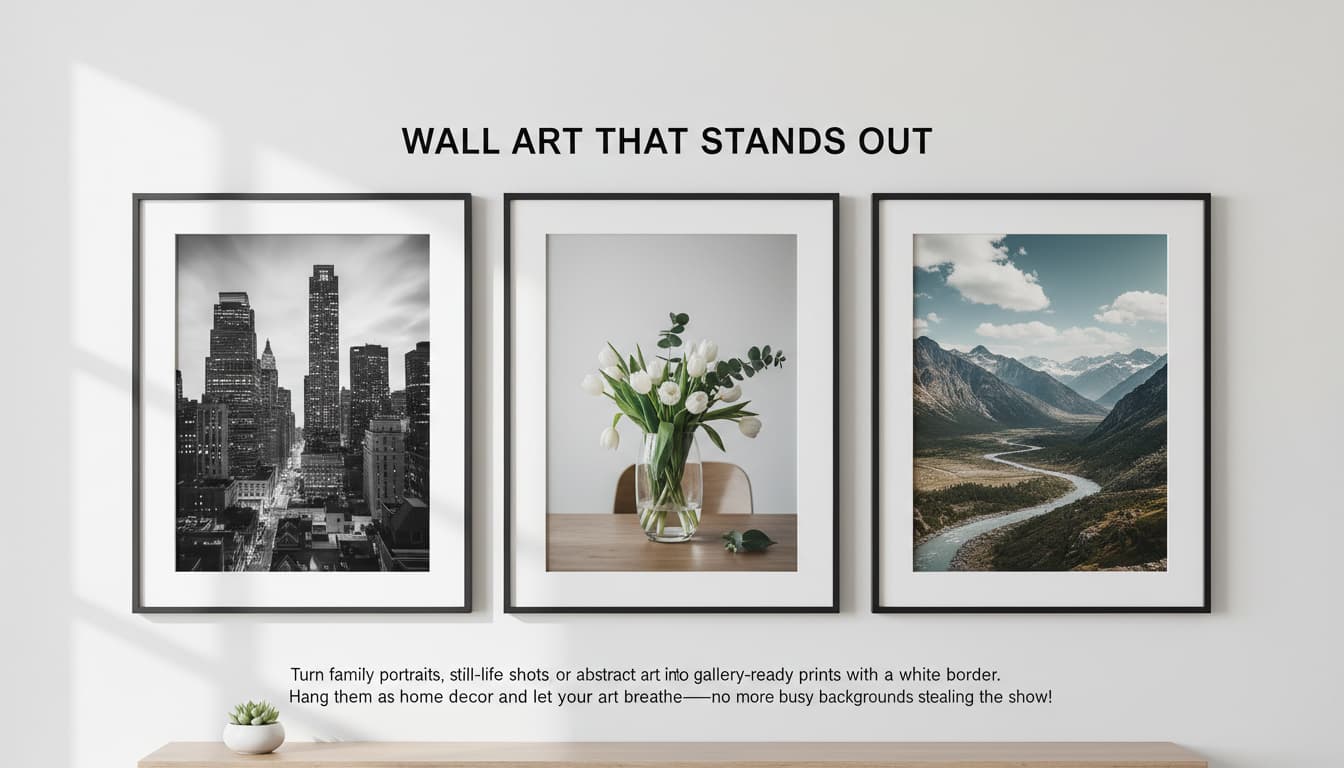
Wall Art That Stands Out

Turn family portraits, still-life shots, or abstract art into gallery-ready prints with a white border. Hang them as home decor and let your art *breathe*—no more busy backgrounds stealing the show!

A gallery wall featuring three framed photos with white backgrounds showcasing a cityscape, a vase of flowers, and a mountain view

Creative Classrooms

Teachers! Use white-backgrounded photos in lesson plans, student projects, or digital art presentations. Kids learn focus and clarity—plus, it’s way easier to print posters for bulletin boards!

A classroom whiteboard displaying student artwork with white backgrounds for a cohesive presentation

What Our Users Say

J
John CarterFreelance Photographer
★★★★★
This tool saved me hours editing product photos! The background removal is flawless and the white balance is perfect for client presentations.
A
Amy TorresE-commerce Owner
★★★★★
I converted 100+ product images in an afternoon. The AI even fixed some blurry shots! My online store looks professional now.
M
Mark LinMarketing Manager
★★★★☆
Clients loved the clean visuals for our campaign. The tool handled complex hair textures and transparent objects effortlessly.
S
Sarah LeeSocial Media Creator
★★★★★
My followers said my posts look more polished! The magic is in the edge-smoothing—it’s like a pro retouched it.
L
Linda PatelGraphic Designer
★★★★★
No more tedious masking! The AI preserved intricate details in my artwork while erasing the background completely.
D
Daniel KimHobbyist Photographer
★★★★☆
Turned my vacation pics into gallery-ready art! Even messy backgrounds look spotless with a white backdrop.

3 Steps to White Background Wizardry

1

Snap & Upload

Drag your photo into our app—messy background? No worries, it’s about to vanish like magic!

2

White-Wash It!

Click ‘Add White Background’ and watch the AI erase chaos, leaving your subject front and center!

3

Download & Impress

Save your masterpiece and drop it into your next project—boom, professional in 10 seconds flat!

Frequently Asked Questions

How does the white background feature work?

Our AI analyzes your photo to identify the subject and background. It then erases the background using machine learning to create a clean white canvas, preserving edge details for a natural look.

What image formats are supported?

We support JPEG, PNG, and WebP formats. Uploaded images must be under 10MB and at least 300x300 pixels for optimal quality.

Can I adjust the white color intensity?

Yes! A post-processing slider lets you tweak the white tone from pure white (#FFFFFF) to softer hues. Advanced users can also download the mask for manual edits.

Will my original photo be saved anywhere?

No. Your images are processed locally in your browser and discarded immediately. We prioritize privacy—no data is stored or transmitted.

Does it work for hair/transparent objects?

Absolutely! The AI handles hair strands, glass, and other translucent elements with precision. Test it with your most challenging photos!

How is this better than manual editing?

Our AI saves 90% of your editing time by automating background removal. It outperforms basic tools with complex scenes and delivers pro-quality results instantly.

Can I batch process multiple images?

Yes! Drag and drop up to 10 images at once. Each is processed individually with the same settings, perfect for bulk photo updates.

Pillar and Tool Navigation

Tool Page

This tool belongs to the E-commerce Image Tools Hub cluster. Open the hub to compare similar tools and choose the best workflow.

Open pillar page -> E-commerce Image Tools Hub