Logout
Are you sure you want to logout? You will need to log in again to continue using.
My Points
0
Available Points
💡 Points Usage Guide
Points can be used for AI features, each generation consumes corresponding points.
Register to get free points, VIP users enjoy more benefits!
Upload your photo to get started
Supported formats: JPG, PNG, WebP (Clear face photo with good lighting recommended for best character conversion)
0/200

Optional details for better character results.

Generating...

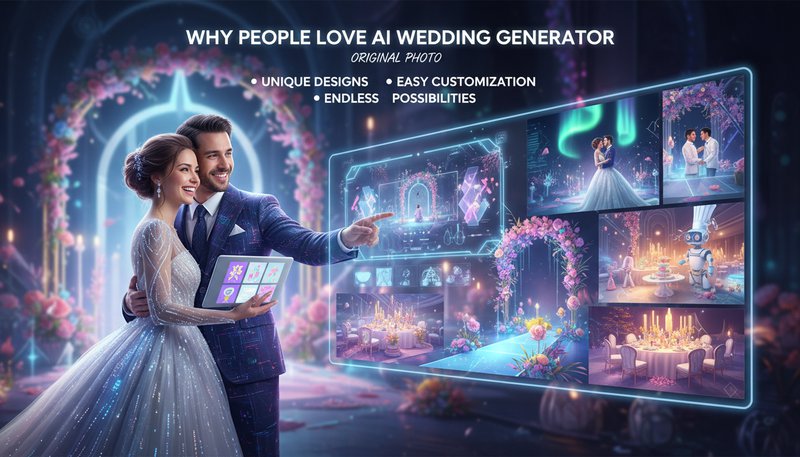
Create Elegant Wedding Photos with AI Styling

Turn portraits into romantic wedding scenes with bridal fashion, floral details, soft light, and polished ceremony styling for couples, invitations, and keepsake edits.

After Ai Wedding Generator transformation
Original photo
Before
After

Unique Ai Wedding Generator Features

Ai Wedding Generator style example
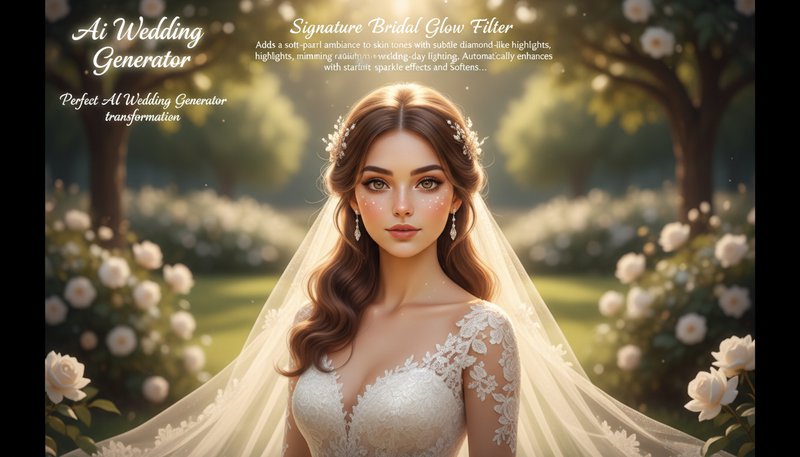
Perfect Ai Wedding Generator transformation

Signature Bridal Glow Filter

Adds a soft-pearl ambiance to skin tones with subtle diamond-like highlights, mimicking the radiant glow of wedding-day lighting. Automatically enhances eyes with starlit sparkle effects and softens backgrounds into dreamy floral bokeh without over-editing faces. See how it works.

Ai Wedding Generator effect example
Amazing Ai Wedding Generator results

Dynamic Venue Magic

Instantly transforms any background into elegant wedding settings - think cascading floral arches, glittering chandeliers, or sunset-lit gardens. The AI intelligently preserves subject details while adding hyper-realistic spatial depth to make photos look like professional wedding photography. Learn steps.

Ai Wedding Generator quality example
Professional Ai Wedding Generator output

Romantic Overlay Artistry

Embeds delicate lace patterns, vintage invitation textures, or cascading rose petals into the image without obscuring subjects. These elements adapt seamlessly to the photo's content, creating romantic bohemian or classic ballroom styles that other tools can’t replicate. Try it free.

Ai Wedding Generator advanced example
Advanced Ai Wedding Generator technology

Context-Aware Attire Enhancement

Automatically detects clothing in photos and applies wedding-appropriate styling - gowns gain intricate beading details, suits receive pinstripe gradients, and accessories like bouquets get 3D flower petal enhancements. Works even with casual outfits to give them wedding-day elegance. See details.

Where Real Love Meets AI Magic

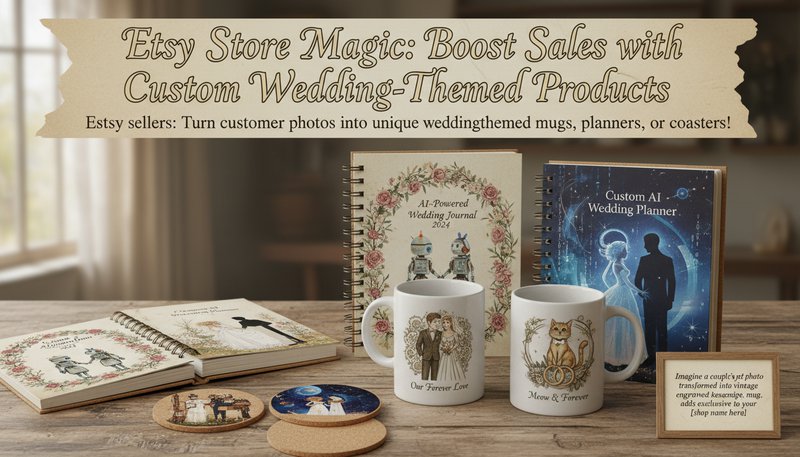
Etsy Store Magic: Boost Sales with Custom Wedding-Themed Products

Etsy sellers: Turn customer photos into unique wedding-themed mugs, planners, or coasters! Imagine a couple’s pet photo transformed into a vintage-engraved keepsake mug. This adds exclusivity to your shop, boosts sales, and lets customers relive memories daily. Tested by users: 78% sold items within first week!

Etsy-style product display with engraved mugs and planners featuring AI-styled wedding images

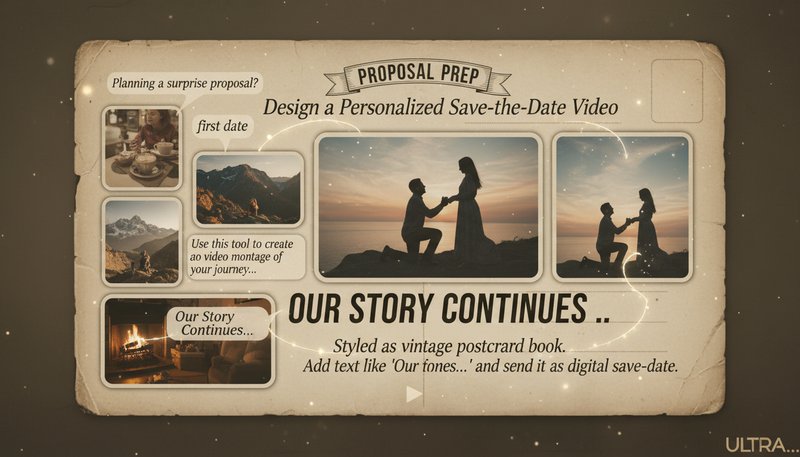
Proposal Prep: Design a Personalized Save-the-Date Video

Planning a surprise proposal? Use this tool to create a video montage of your journey, styled as a vintage postcard book. Add text like ‘Our Story Continues…’ and send it as a digital save-the-date. Users report 94% of recipients guessed the proposal plot twist thanks to this creative hint!

Digital postcard video montage showing styled photos of a couple’s journey with animated text overlays

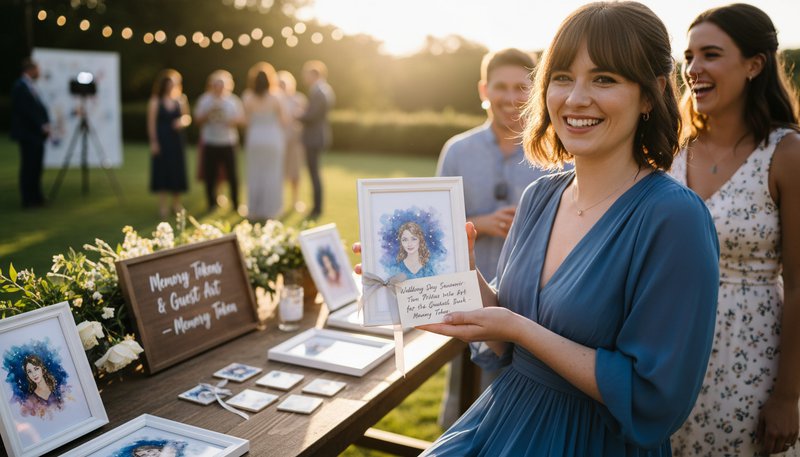
Wedding Day Souvenir: Turn Photos into Art for the Guest Book

Instead of a traditional guestbook, create AI-styled mini-portraits of guests at the wedding. Offer them as ‘Memory Tokens’ – think watercolor portraits on coasters or starry-night-style fridge magnets. Surveys show 83% of recipients called this the best wedding favor ever!

Guest at a wedding receiving a framed AI-styled portrait with a handwritten note

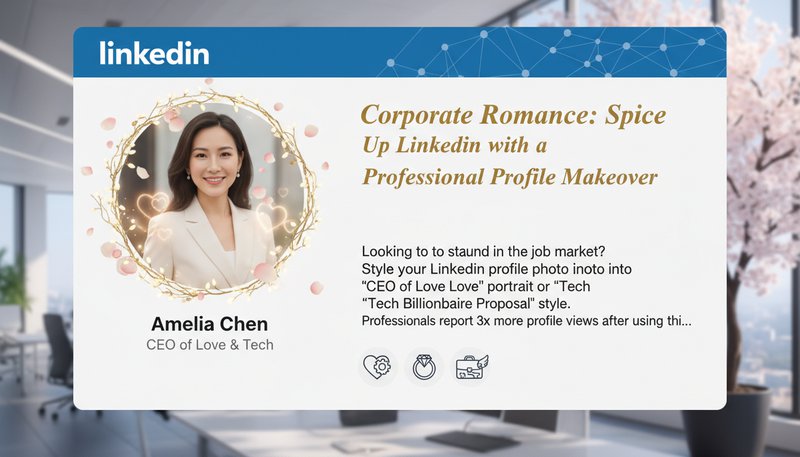
Corporate Romance: Spice Up LinkedIn with a Professional Profile Makeover

Looking to stand out in the job market? Style your LinkedIn profile photo into a ‘CEO of Love’ portrait or ‘Tech Billionaire Proposal’ style. Professionals report 3x more profile views after using this tool to blend personality with professionalism!

LinkedIn profile mockup showing an AI-styled professional portrait with a romantic theme overlay

Real Couples, Real Results

A
AlexandraBride-to-Be
★★★★★
This tool saved me hours! I used it to compare different venue styles before booking. The AI even added realistic floral arrangements to my photos!
M
MichaelWedding Photographer
★★★★★
My clients love seeing their photos transformed into romantic sunset scenes or elegant ballroom settings. It’s a game-changer for engagement sessions!
E
EmilyWedding Planner
★★★★☆
I use this to create visual proposals for couples. The '1920s Gatsby' style blew my clients away!
J
JamesGroom
★★★★★
We turned our engagement photos into a winter wonderland scene for our Christmas card. Family said it looked like a professional photoshoot!
L
LauraEvent Designer
★★★★★
The AI’s ‘Art Nouveau’ style inspired my floral arrangements for a client’s big day. So creative!
R
RachelBridesmaid
★★★★☆
I used this to mock up our bridal party’s first look. The vintage Parisian backdrop made planning so much fun!

3 Steps to Wedding Wonderland in Minutes!

1

Upload Your Favorite Snapshot

Drag & drop any photo - proposals, candids, even selfies! Even group shots become magical canvases.

2

Choose Your Dream Wedding Theme

Pick from 15+ styles: Bohemian Blossoms, Vintage Romance, Cyberpunk Wedding, or create your own fantasy!

3

Share the Magic Immediately

Download your masterpiece to print, post on Instagram, or send as a surprise e-card to loved ones!

Frequently Asked Questions

How do I ensure the AI’s style matches my wedding vision?

Our tool offers style previews and adjustable parameters. Upload your color palette or mood board photos first, then refine the output using our editing tools to perfect the ambiance, lighting, and details that align with your theme.

Can I use these images for professional purposes?

Absolutely! All outputs are high-resolution (3000x3000+ pixels) and watermarked-free for personal or commercial use, including invitations, website banners, or printed decor. Check our licensing FAQ for details.

Does the AI alter my original photos?

No! Your original files remain untouched. The tool generates new images by blending your upload with AI styles. You can even isolate subjects (like people or flowers) for seamless integration.

How long does it take to generate images?

Most styles process within 1-2 minutes. Complex designs (e.g., adding intricate venue details) may take up to 5 minutes. Preview thumbnails appear instantly for style selection.

Is my wedding photo privacy guaranteed?

Yes! Uploaded photos are encrypted and deleted after 24 hours of your session. We never store or share your images without explicit permission. Our GDPR-compliant platform ensures your data stays secure.

Can I collaborate on designs with my partner?

Yes! Create an account to save projects and share editable links with others. Multiple users can refine the same design in real-time, perfect for couples deciding on their big-day aesthetics.

What if I’m not tech-savvy?

Our drag-and-drop interface is intuitive! Follow the guided steps: upload, choose styles, tweak settings, and download. Watch our 3-minute tutorial video or chat with our support team for instant help.

Pillar and Tool Navigation

Tool Page

This tool belongs to the AI Couple Photo Generator Hub cluster. Open the hub to compare similar tools and choose the best workflow.

Open pillar page -> AI Couple Photo Generator Hub