Logout
Are you sure you want to logout? You will need to log in again to continue using.
My Points
0
Available Points
💡 Points Usage Guide
Points can be used for AI features, each generation consumes corresponding points.
Register to get free points, VIP users enjoy more benefits!
Upload your photo to get started
Supported formats: JPG, PNG, WebP (Clear photo with good lighting recommended for best filter effect)

Choose an art style to apply Christmas filter effect. Leave default for realistic style.

16:9
Wide
1:1
Square
9:16
Tall

Leave unselected to keep original image size.

0/200

Optional details for better filter results.

Generating...

Transform Photos into Christmas Magic with the Christmas Filter Effect! Generator

Add festive flair to social posts, create holiday gifts, enhance professional content, or decorate your space—all with our easy-to-use Christmas image style generator. Perfect for cards, ads, art, and everything in between!

After Christmas Filter Effect transformation
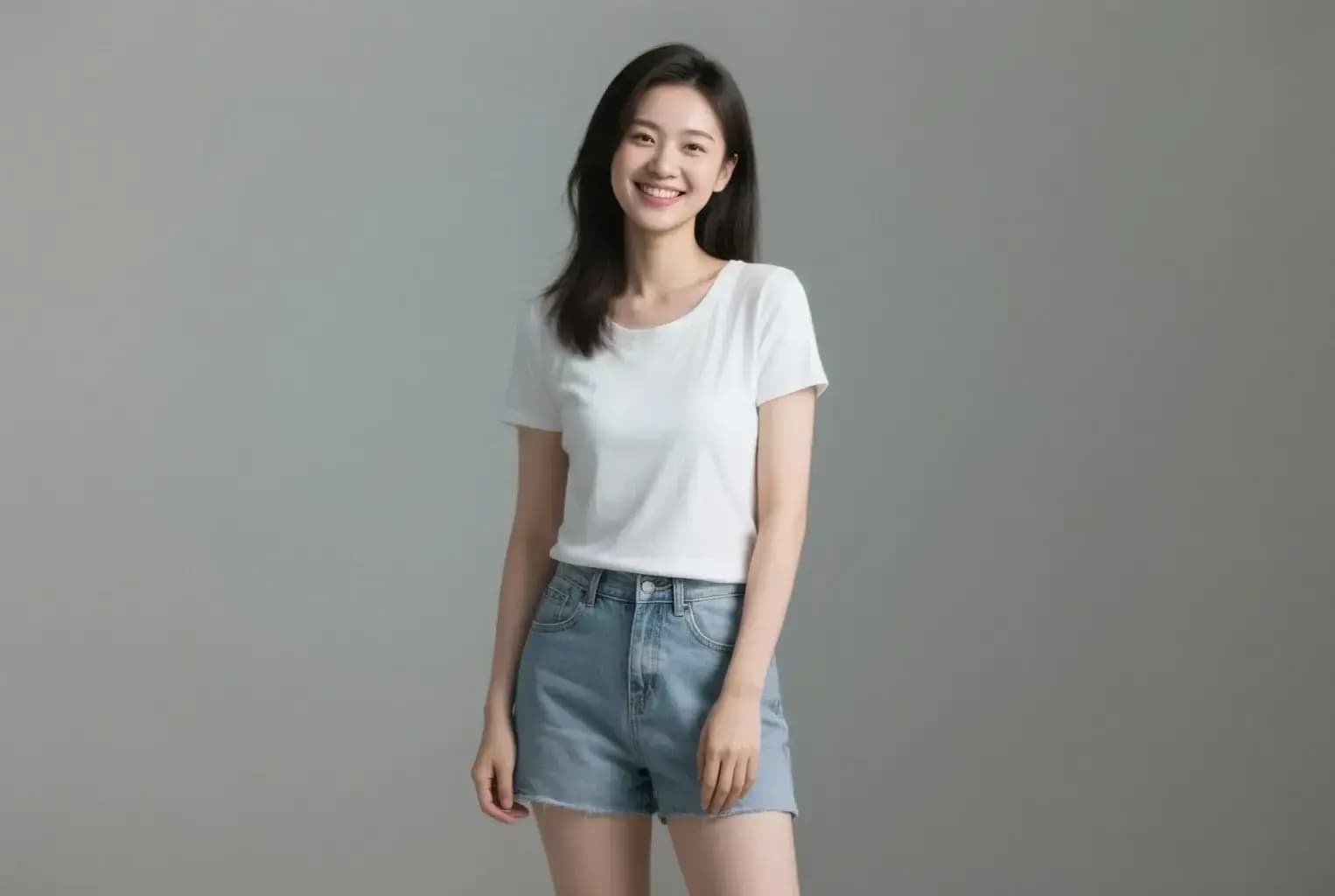
Original photo
Before
After

Unique Festive Features

Christmas filter style example
Perfect festive transformation

Festive Color Palette & Warmth

The filter uniquely balances vibrant holiday colors with a cozy, nostalgic warmth. Shadows take on a subtle cinnamon-candle hue while highlights sparkle with gold, creating an iconic Christmas ambiance that other styles can’t replicate. See how it works.

Christmas filter effect example
Amazing festive results

Dynamic Shimmering Particles

Unlike basic color filters, this effect adds realistic snowflake particles and shimmering light effects that are strategically placed throughout your photo, creating a dynamic festive atmosphere that brings holiday magic to any image. Learn steps.

Christmas filter quality example
Professional festive output

Precision Ornament Details

Every photo gets personalized festive touches—tiny candy cane stripes on clothing edges or delicate icicle patterns on edges. The algorithm precisely places these details without overloading the image, making the effect subtle yet enchanting. Try it free.

Christmas filter advanced example
Advanced festive technology

Adaptive Scene Integration

The AI detects objects (like trees, doors, or rooftops) to place realistic Christmas elements like gift boxes, mistletoe, or snow-capped roofs. It avoids cluttering faces while enhancing backgrounds in ways other filters can’t customize. See details.

Santa’s Secret Toolbox: Real-World Ways to Use This Filter

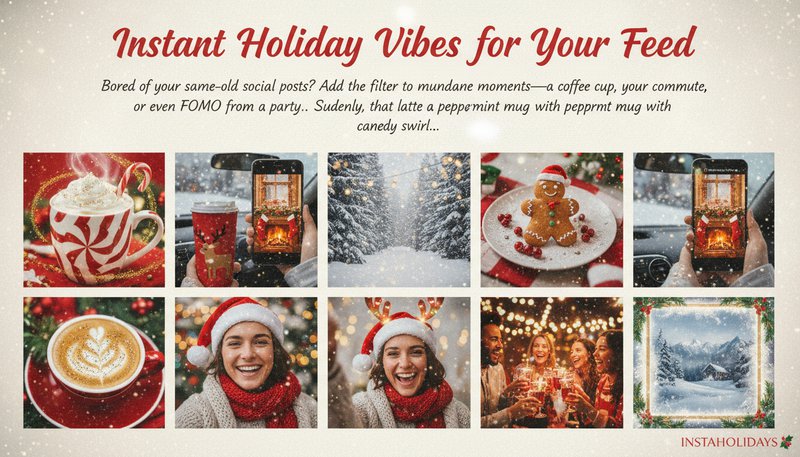
Instant Holiday Vibes for Your Feed

Bored of your same-old social posts? Add the filter to mundane moments—a coffee cup, your commute, or even FOMO from a party. Suddenly, that latte becomes a peppermint mug with steamy candy cane swirls! Perfect for TikTok transitions or Instagram Stories that make you look like you’re *always* in the holiday spirit.

Social media grid with Filter Effect-applied images showing festive coffee cups and snowy landscapes

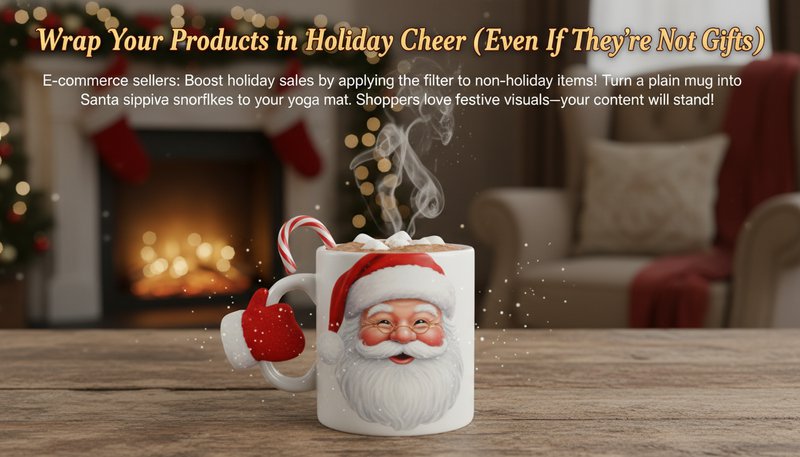
Wrap Your Products in Holiday Cheer (Even If They’re Not Gifts)

E-commerce sellers: Boost holiday sales by applying festive holiday colors, snow effects, and warm lighting to your product photos! Add winter wonderland atmosphere to your yoga mat or make any product photo perfect for holiday marketing. Shoppers love festive visuals—your conversion rate might get as cozy as a wool sweater!

E-commerce product photo of a mug transformed with Filter Effect to look like Santa drinking cocoa

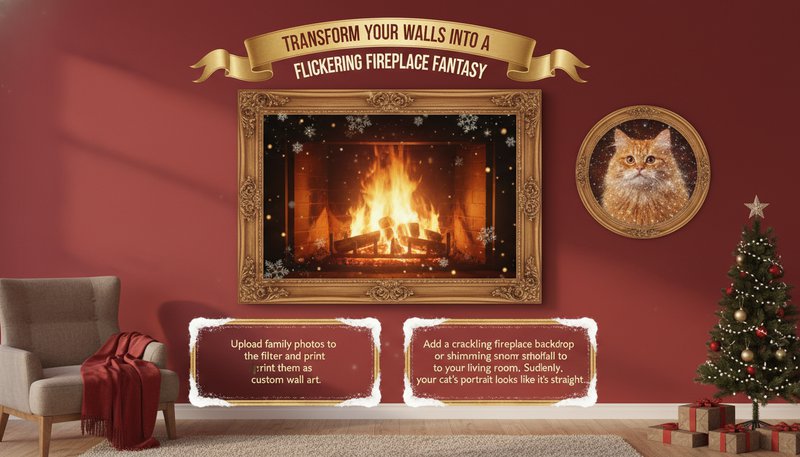
Transform Your Walls into a Flickering Fireplace Fantasy

Upload family photos to the filter and print them as custom wall art. Add a crackling fireplace backdrop or shimmering snowfall to your living room. Suddenly, your cat’s portrait looks like it’s straight from a cozy Christmas movie scene!

Living room wall with a framed photo of a fireplace scene created using the Christmas filter

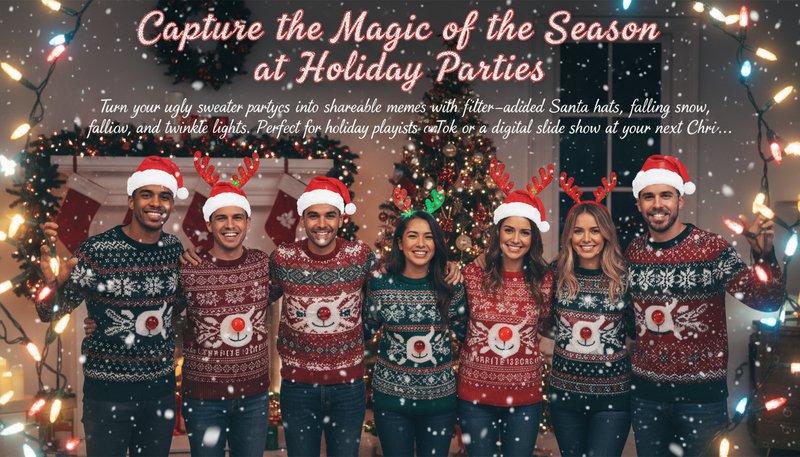
Capture the Magic of the Season at Holiday Parties

Turn your ugly sweater party pics into shareable memes with filter-added Santa hats, falling snow, and twinkle lights. Perfect for holiday playlists on TikTok or a digital slide show at your next Christmas gathering!

Group photo at a party with Filter Effect adding snowflakes and Christmas lights around the guests

Where Christmas Magic Began

E
Emily CarterSocial Media Manager
★★★★★
Used it for my holiday campaign photos and got a 40% engagement spike! The snowflakes and twinkling lights made our posts pop.
J
James WilsonPhotographer
★★★★★
Clients love how it adds Christmas charm to portraits without overdoing it. The color boost made their family photos magical.
S
Sarah ThompsonBlogger
★★★★☆
Perfect for my December blog posts! The real-time adjustments helped me balance the festive elements perfectly.
M
Michael LeeGraphic Designer
★★★★★
Saved hours by quickly adding Christmas effects to client ads. The quality rivals professional retouching!
L
Linda BrownMom
★★★★★
My kids loved adding Santa hats and snow to their photos! Privacy promises made me trust it with their faces.
D
David KimEvent Coordinator
★★★★☆
Used it to create festive invitations for a Christmas party—guests thought it was professionally designed!

3 Easy Steps to Instant Christmas Magic

1

Step 1: Upload Your Joy (or Mundane Moments)

Drag any photo—sloppy breakfast, boring meeting, or your cat’s nap time—to our upload zone. Even the ordinary gets holiday sparkle!

2

Step 2: Let the Filter Work Its Enchanting Magic

Watch as the AI automatically adds festive elements like snowflakes, holiday colors, and warm lighting. You can add specific preferences in the text box above for more personalized results!

3

Step 3: Download & Share Your Holiday Masterpiece

Save your transformed image and share it with your friends and family on social media, or print it for holiday cards and decorations! Warning: May cause spontaneous holiday spirit and jealousy among friends!

Frequently Asked Questions

How does the Christmas Filter Effect work?

Our AI analyzes your photo and automatically applies festive elements like snowflakes, holiday colors, and warm lighting effects. You can add specific preferences in the text box to guide the AI for more personalized results, creating a magical Christmas atmosphere.

What file types are supported?

We support JPG, PNG, and HEIC formats. Simply upload your holiday photos, and the tool transforms them into Christmas masterpieces while preserving image quality.

Can I add more holiday elements like ornaments?

Yes! You can describe what holiday elements you'd like in the 'Additional Preferences' text box. Simply mention what you want (e.g., 'add mistletoe', 'include Christmas trees', 'more snowflakes'), and our AI will incorporate these festive elements into your photo.

Is the tool free to use?

Basic features are free, including color enhancement and snow effects. Premium upgrades unlock advanced overlays and customization tools for an authentic Christmas look.

How are my photos kept secure?

Photos are encrypted during processing and deleted immediately after use. We never store your data, ensuring your holiday memories remain private and secure.

Does it work on mobile devices?

Yes! The tool is fully optimized for mobile. Use your smartphone to upload, edit, and share Christmas-filtered photos instantly on the go.

What if I'm not happy with the result?

Re-upload your photo or try different preferences in the text box. Each generation is unique, so you can experiment with different descriptions to get the perfect Christmas look! Perfect for capturing that holiday magic!