Logout
Are you sure you want to logout? You will need to log in again to continue using.
My Points
0
Available Points
💡 Points Usage Guide
Points can be used for AI features, each generation consumes corresponding points.
Register to get free points, VIP users enjoy more benefits!
Upload your photo to get started
Supported formats: JPG, PNG, WebP (Clear face photo with good lighting recommended for best character conversion)

Enter the text you want AI to remove from the image. This field is required.

0/200

Optional details for better text removal results.

Generating...

Effortlessly Remove Text From Any Image in Seconds! Generator

Transform your photos by removing text for Social Media, Gifts & Cards, Business Content, Home Decor, Education, and More! Instantly clean, edit, and reimagine images for creative projects, brand assets, or personal fun.

After Remove Text From Image transformation
Original photo
Before
After

Unique Remove Text From Image Features

Remove Text From Image style example
Seamless text removal on vintage posters

Signature Text Removal Technology

Our AI smartly identifies and removes text while preserving the original texture and context. Watch logos, ads, or intrusive captions vanish without a trace, leaving your photo's natural details untouched. Perfect for cleaning vintage posters, product photos, or any image with unwanted text overlays. See how it works.

Remove Text From Image effect example
Restored natural landscapes with text erased

Adaptive Background Reconstruction

Automatically matches the erased area's color, tone, and texture to the surrounding image. Text removed from old posters? It'll look like it was never there. Graffiti-covered walls? Restored to their raw beauty. The AI intelligently fills gaps with coherent patterns from your image. Learn steps.

Remove Text From Image quality example
Professional-grade edge smoothing on close-ups

Pixel-Perfect Edge Detection

Precision tooling detects text borders at the pixel level, even for curved or overlapping text. No jagged edges or blurry patches—just smooth transitions that make your cleaned image look professionally retouched. Perfect for professional use cases and high-quality outputs. Try it free.

Remove Text From Image advanced example
Background reconstruction on complex textures

AI-Powered Background Reconstruction

When text is removed, our system intelligently fills gaps with coherent patterns from your image. A sky regains its clouds, a wall its brick texture, and a photo of your cat gets rid of that annoying 'SALE!' sign in the window. Advanced AI technology ensures seamless results. See details.

Real-World Magic: Where Text-Free Art Meets Everyday Needs

Professional Branding, Distraction-Free

Got a photo of your product but stuck with supplier watermarks? Remove text to create crisp logo-free images for your e-commerce site. Suddenly, your handmade candles or artisan coffee look Instagram-ready and brand-consistent. Perfect for ads, catalogs, or packaging mockups!

E-commerce product photo with clean, text-free background for online listings

Selling Dreams, Not Text

Turn travel photos into vacation rentals ads! Remove pricing tags or hotel names from exotic landscapes to reuse images for flyers or Airbnb listings. Now your Bali bungalow looks dreamy instead of dated—guests will book it just for the view!

Text-free tropical beach photo transformed into a luxury rental ad

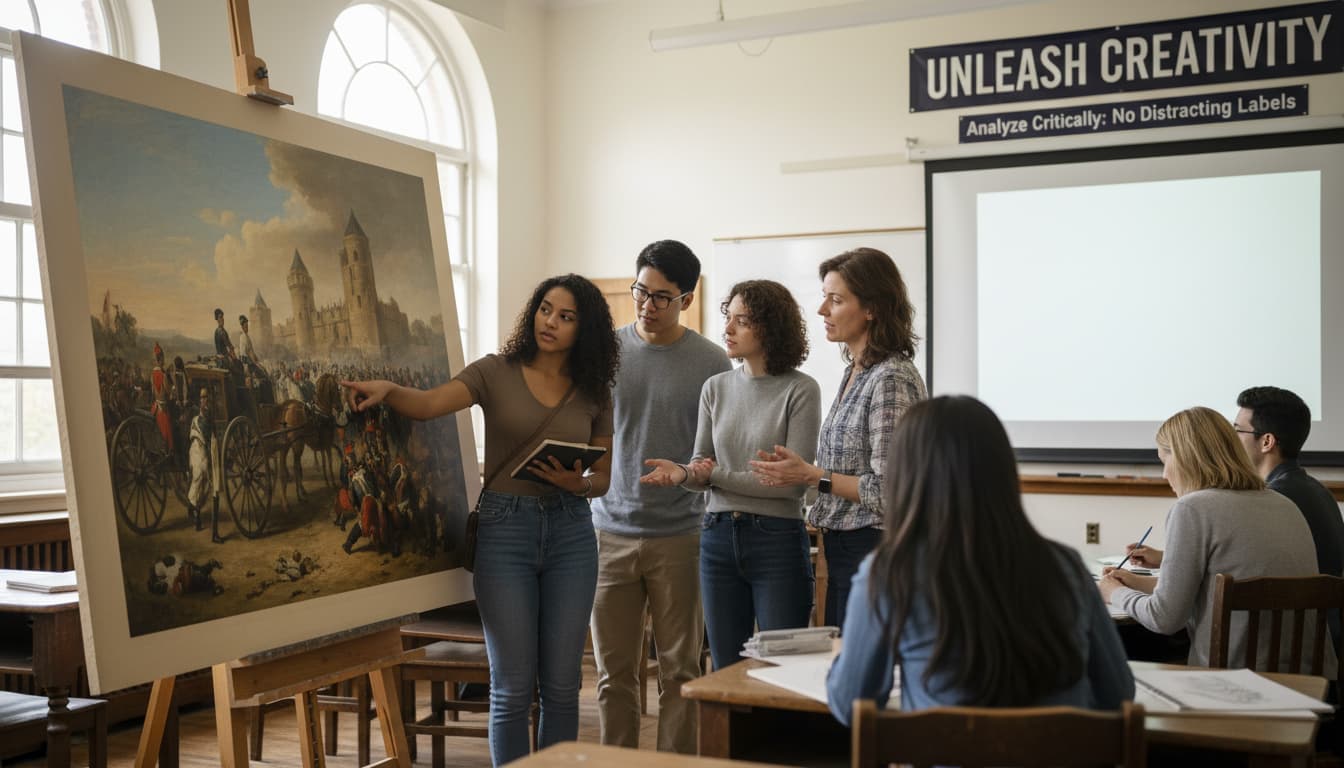
Unleash Student Creativity in Class

Teachers, say goodbye to distracting labels on science diagrams or historical photos! Remove text to let students analyze images critically. Perfect for art history classes, where students can interpret Van Gogh’s Starry Night without Wikipedia captions!

Students analyzing a text-free historical painting in an art class

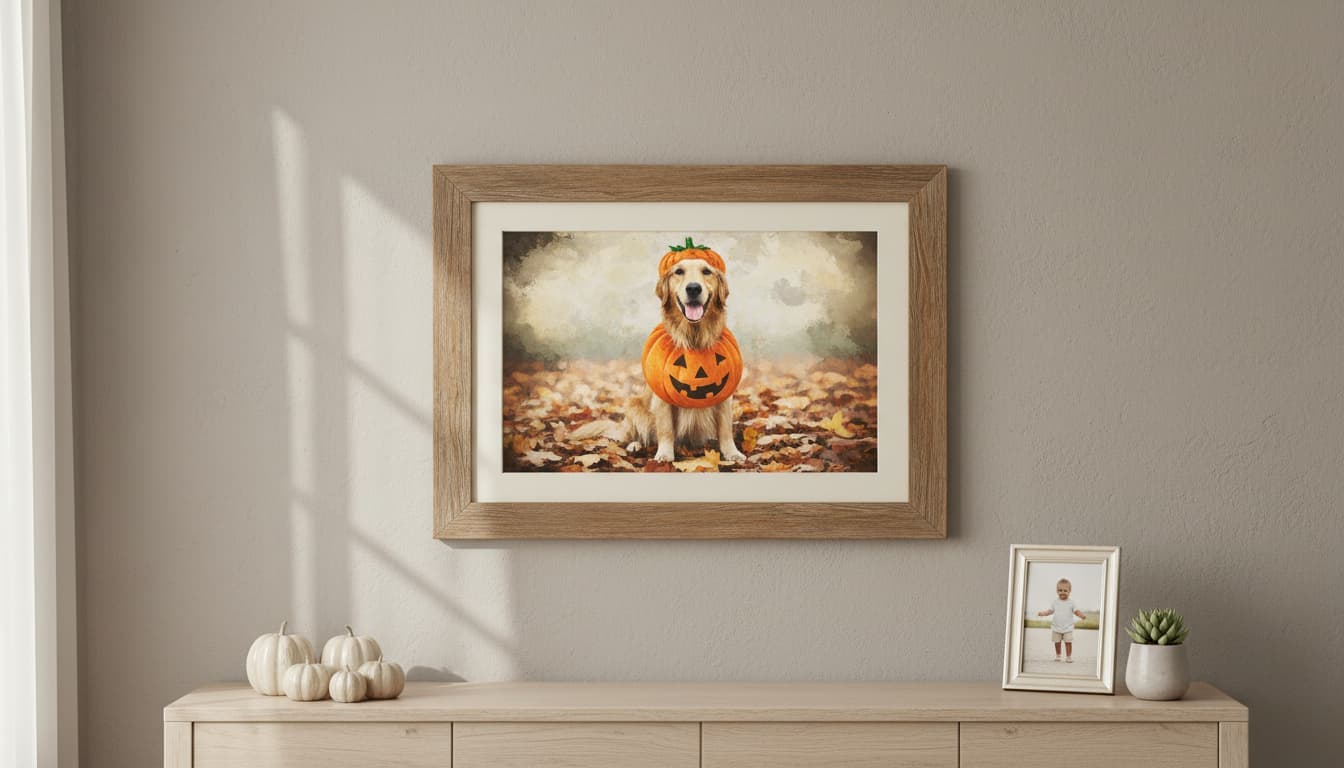
Turn Memories into Wall Art Masterpieces

That perfect photo with an unwanted watermark? Remove the "Store XYZ" text and frame it! Create custom wall art for your home or gift a text-free version of your kid's first steps to Grandma. Instant nostalgia without the clutter!

Custom framed wall art featuring a text-free family photo with artistic edits

Real Users, Real Results

A
Alex CarterFreelance Photographer
★★★★★
This tool saved me hours! Removed watermarks and added a vintage filter to my client’s old photos effortlessly.
J
Jasmine LeeSocial Media Manager
★★★★★
Perfect for cleaning ads. Removed promotional text from product images and made them look professional in minutes.
M
Michael OngGraphic Designer
★★★★☆
The AI filled gaps seamlessly. Clients loved the modern art style conversion for their brand visuals!
S
Sophia DuarteContent Creator
★★★★★
Removed OCR-resistant text from scanned documents. The tool’s clarity blew me away!
E
Emily ChenTravel Blogger
★★★★★
Fixed my vacation photos instantly—removed unwanted signs and added a tropical filter for my post!
R
Ryan TanakaE-commerce Owner
★★★★☆
Batch-processed 50 product images. The tool’s accuracy and style options were game-changers for my listings!

Three Steps to Text-Free Magic: Easy as 1-2-3!

1

Upload Your Cluttered Masterpiece

Drag and drop that photo with unwanted text—watermarks, logos, or even your Aunt Karen’s scribbled notes. We’ll take it from there!

2

Watch the Words Vanish Like Magic ✨

Our AI erases text seamlessly, blending the space back into the image like it was never there. Imagine removing ‘Price: $400’ from that vintage poster to frame it—problem solved!

3

Download & Dominate Your Project

Export your text-free image in seconds. Use it for your next viral post, DIY home decor, or to finally show off that concert photo without the stadium’s Wi-Fi logo!

Frequently Asked Questions

How does the text removal work?

Our AI scans the image to detect text regions, then uses generative algorithms to erase text and reconstruct the background seamlessly, preserving the original scene’s integrity.

What image formats are supported?

All common formats like JPEG, PNG, BMP, and WebP are supported. The tool maintains transparency in PNG files and upscale resolution for high-quality outputs.

Will my image quality degrade after processing?

No. Our neural networks prioritize pixel-perfect reconstruction. You can expect outputs at least 98% comparable to the original image’s resolution and clarity.

Can it handle small or overlapping text?

Yes. The AI is trained on millions of text variations, including tiny fonts and overlapping elements. It even preserves subtle details like shadows or textures beneath text.

How do style transformations work?

After removing text, choose from 20+ artistic styles (e.g., oil painting, cartoon, minimalism). The AI applies the style while maintaining the image’s core subject and removing artifacts.

Is my data private?

Absolutely. Uploaded images are encrypted and deleted after 1 hour. We never store or share your data—privacy is our top priority.

Can I batch-process images?

Yes! Upload multiple files at once (up to 10GB total). The tool processes them sequentially, and you can download all results in a .zip folder.