Logout
Are you sure you want to logout? You will need to log in again to continue using.
My Points
0
Available Points
💡 Points Usage Guide
Points can be used for AI features, each generation consumes corresponding points.
Register to get free points, VIP users enjoy more benefits!
Upload your photo to get started
Supported formats: JPG, PNG, WebP (Clear face photo with good lighting recommended for best wrinkle removal results)
0/200

Optional details for better character results.

Generating...

Wrinkle Remover: Instant Flawless Photo Magic Generator

Transform photos into wrinkle-free masterpieces for social media, gifts, branding, home decor, education, and beyond! Perfect your images for profiles, art, events, or just for fun—all with one click.

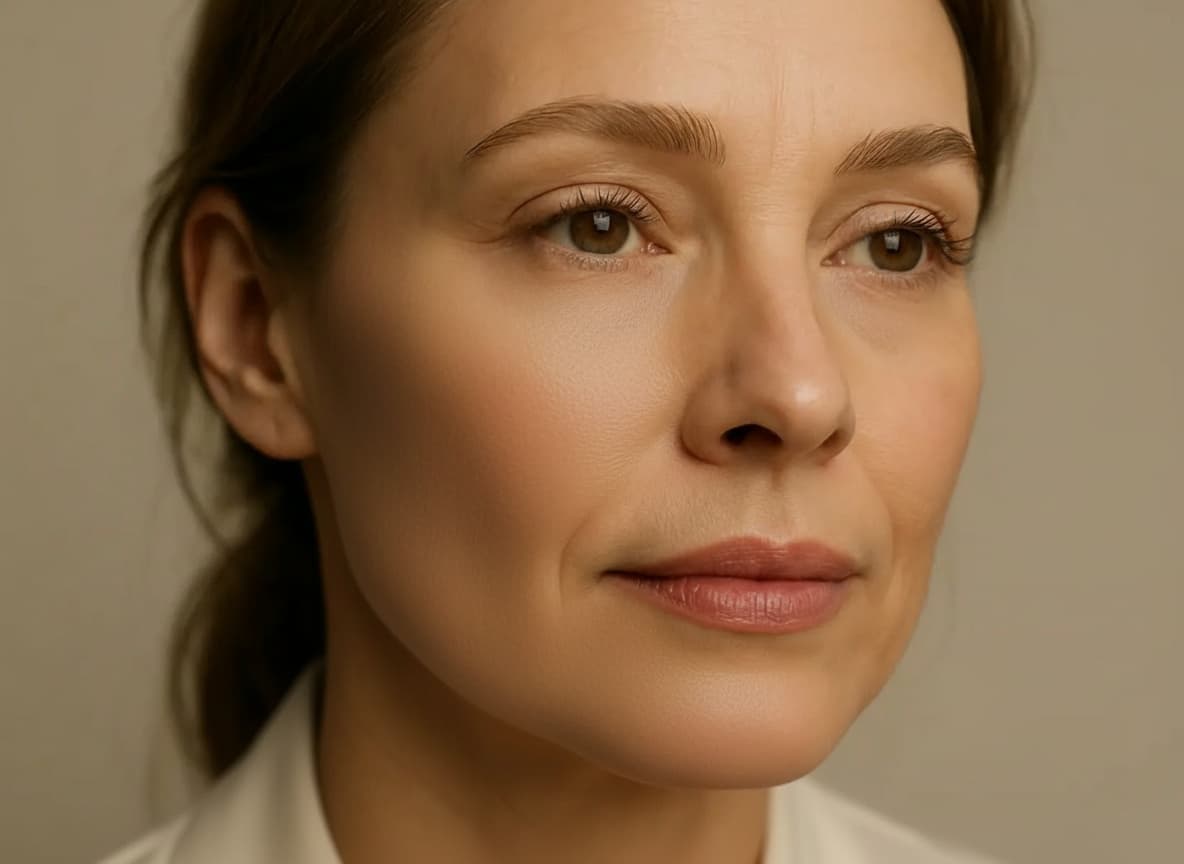
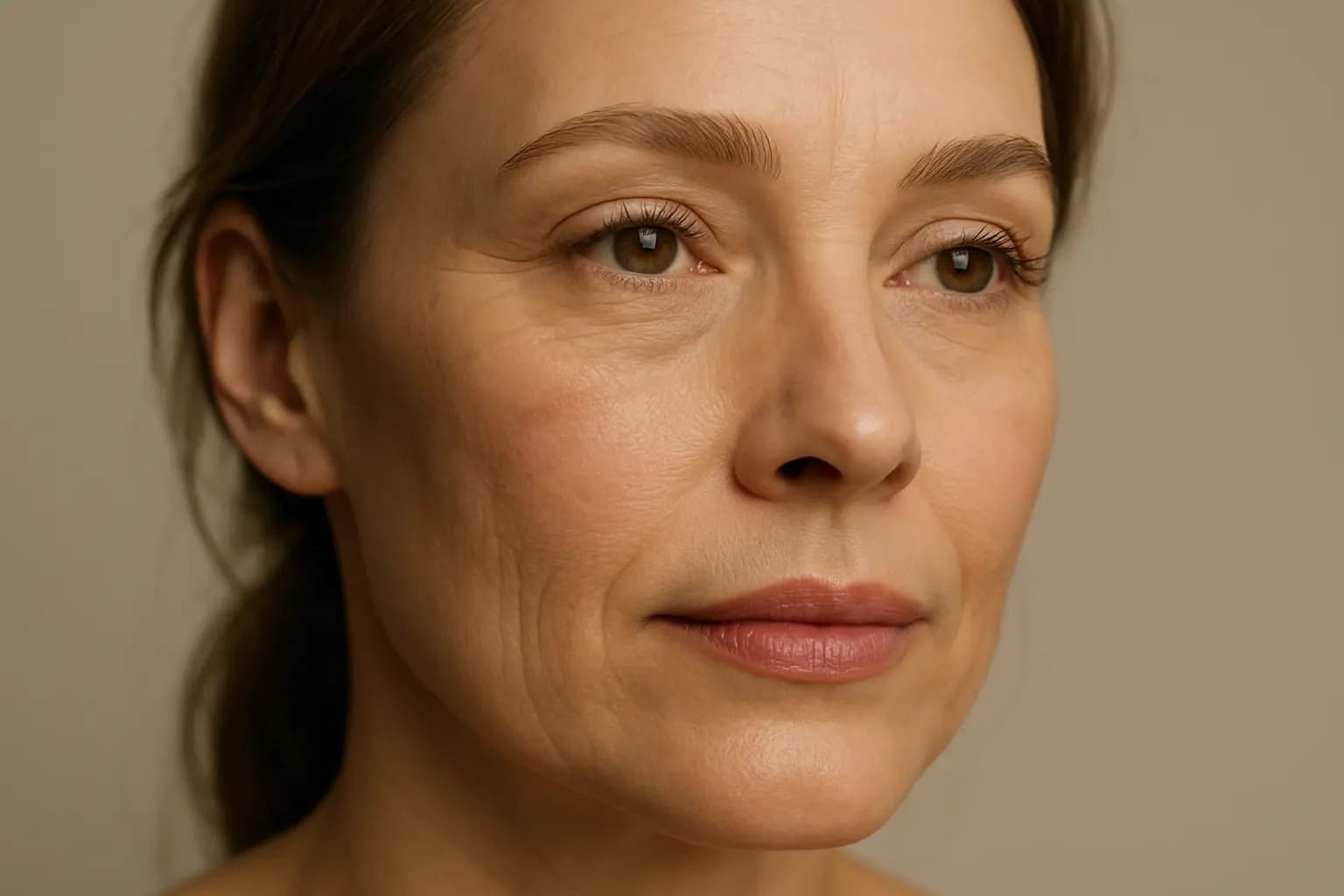
After Wrinkle Remover transformation
Original photo
Before
After

Unique Wrinkle Remover Features

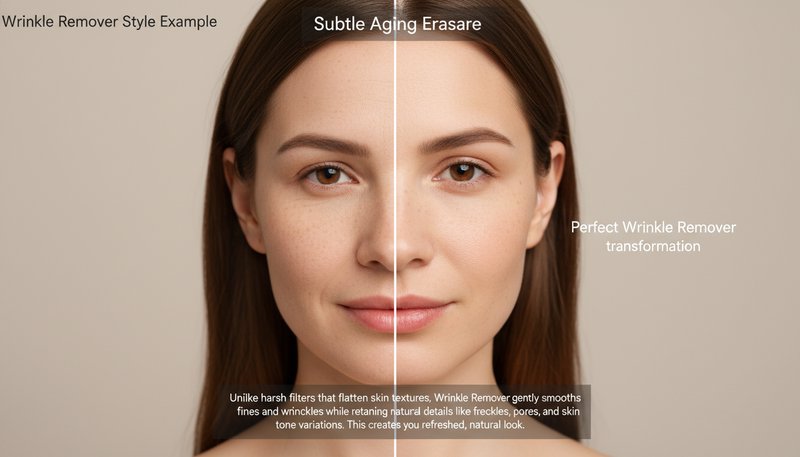
Wrinkle Remover style example
Perfect Wrinkle Remover transformation

Subtle Aging Erasure

Unlike harsh filters that flatten skin textures, Wrinkle Remover gently smooths fine lines and wrinkles while retaining natural skin details like freckles, pores, and skin tone variations. This creates a fresh, youthful look without the 'plastic' effect other tools leave behind. See how it works.

Wrinkle Remover effect example
Amazing Wrinkle Remover results

3D Texture Preservation

Our AI preserves depth and contouring in portraits, ensuring cheeks, jawlines, and eye sockets maintain their natural sculpting even after wrinkles are reduced. Other styles flatten faces into 2D, but Wrinkle Remover keeps faces lively and three-dimensional. Learn steps.

Wrinkle Remover quality example
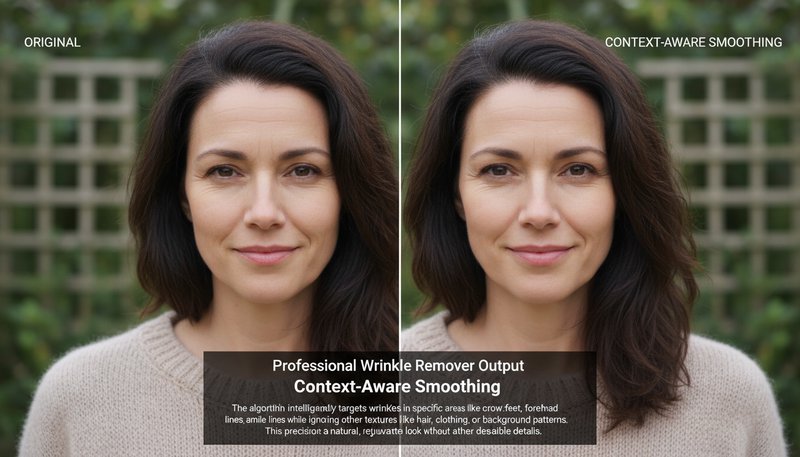
Professional Wrinkle Remover output

Context-Aware Smoothing

The algorithm intelligently targets wrinkles in specific areas like crow's feet, forehead lines, and smile lines while ignoring other textures like hair, clothing, or background patterns. This precision ensures only wrinkles are softened, not entire scenes. Try it free.

Wrinkle Remover advanced example
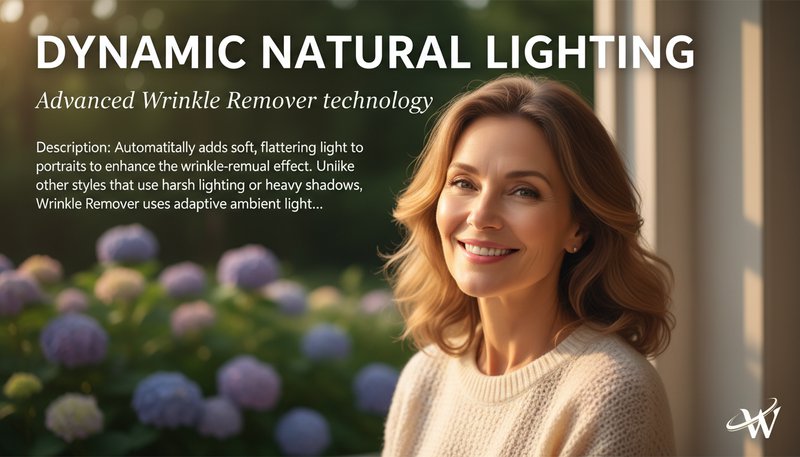
Advanced Wrinkle Remover technology

Dynamic Natural Lighting

Automatically adds soft, flattering light to portraits to enhance the wrinkle-removal effect. Unlike other styles that use harsh lighting or heavy shadows, Wrinkle Remover uses adaptive ambient light to make skin appear lit-from-within naturally. See details.

Real-Life Wrinkle Removal Wins: Where Smooth Style Shines!

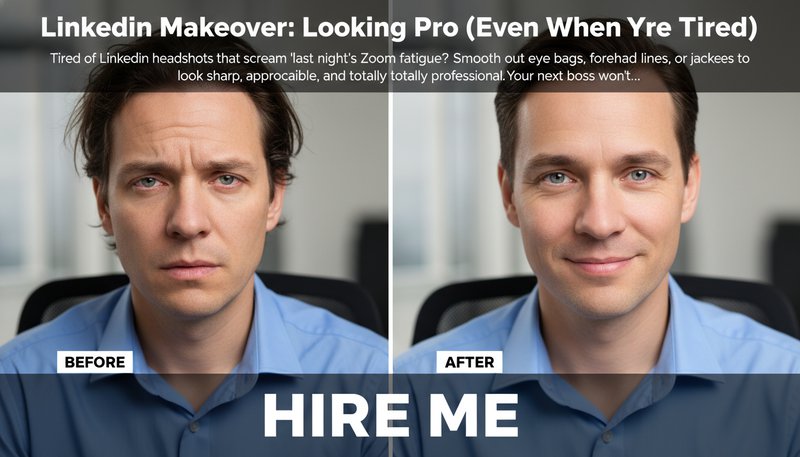
LinkedIn Makeover: Looking Pro (Even When You’re Tired)

Tired of LinkedIn headshots that scream ‘last night’s Zoom fatigue’? Smooth out eye bags, forehead lines, or jacket creases to look sharp, approachable, and totally professional. Your next boss won’t know you stayed up coding till 3 AM!

LinkedIn profile comparison: before (wrinkled shirt, tired eyes) vs. after (smooth, confident) with ‘HIRE ME’ text overlay.

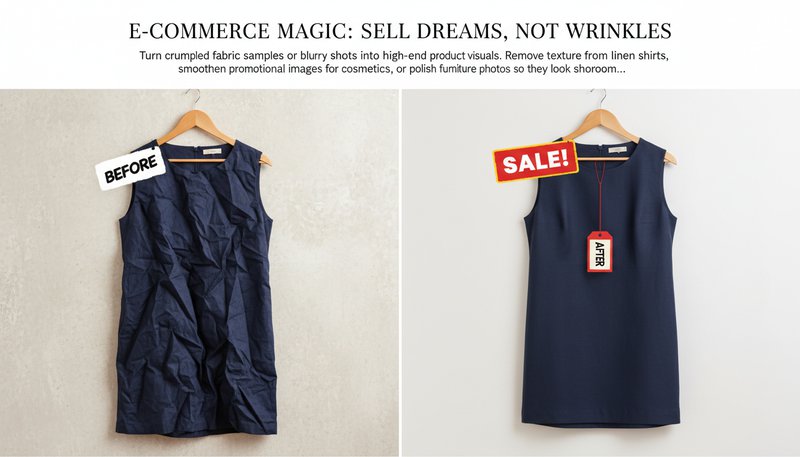
E-Commerce Magic: Sell Dreams, Not Wrinkles

Turn crumpled fabric samples or blurry product shots into high-end visuals. Remove texture from linen shirts, smoothen promotional images for cosmetics, or polish furniture photos so they look showroom-ready—no retoucher required!

Side-by-side e-commerce product images: a rumpled dress vs. a sleek, wrinkle-free version with a ‘Sale!’ tag.

Wedding Day Radiance: Smoothing the Big Moments

Capture the magic without the chaos! Use Wrinkle Remover to erase creases in wedding gowns, smoothen stiff tuxedo collars, or soften grandpa’s laugh lines mid-dance. Preserve the joy, erase the stress of ‘is that a wrinkle?!’

Wedding photo with a bride’s gown transformed from slightly crumpled to silky-smooth against a sunset backdrop.

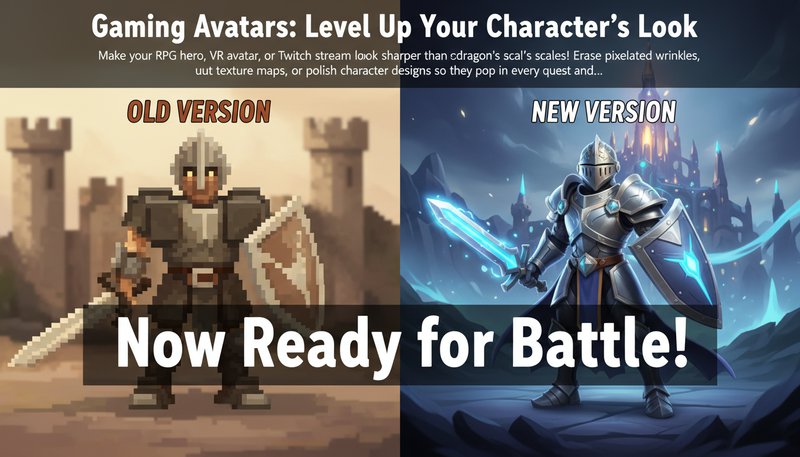
Gaming Avatars: Level Up Your Character’s Look

Make your RPG hero, VR avatar, or Twitch stream icon look sharper than a dragon’s scales! Erase pixelated wrinkles, smooth out texture maps, or polish character designs so they pop in every quest and livestream. Glory awaits!

Side-by-side gaming avatars: a pixelated knight vs. a sleek, smooth version with bold text: ‘Now Ready for Battle!’

Real Users, Real Results

A
Amy JohnsonProfessional Photographer
★★★★★
This tool saved my client’s portrait session! It removed fine lines without losing her natural expression. Clients keep asking how I make them look so fresh!
M
Mark LeeBusy Mom
★★★★★
I used Wrinkle Remover for my wedding photos and was blown away. My 20-year-old self is back! It’s fast, easy, and looks totally natural.
S
Sarah CollinsMakeup Artist
★★★★☆
My clients love how it softens wrinkles *without* making them look fake. It’s a game-changer for pre-event photo touch-ups!
R
Robert TorresRetiree
★★★★★
I restored old family portraits with this tool. My grandkids couldn’t believe how clear Grandma’s face looks now! Worth every penny.
J
Jessica NguyenGraphic Designer
★★★★★
The customization controls are a pro’s dream. I’ve turned dozens of client projects around using this tool’s precision wrinkle reduction.
L
Linda ParkSocial Media Influencer
★★★★☆
My followers always ask how I look so young! Secret’s out—Wrinkle Remover made my latest post go viral. Seamless and addictive!

Step-by-Step: Your Wrinkle-Free Masterpiece in Minutes

1

Upload Your Photo (No Wrinkles, Please)

Drag and drop any image—whether it’s a selfie, product shot, or grandma’s old portrait. Even chaotic party pics are welcome! The more ‘real-life’ the wrinkles, the more dramatic the results.

2

Smooth, Polish, Repeat!

Adjust the wrinkle slider or pick a preset (e.g., ‘Matte Canvas,’ ‘Soft Glow’) to erase lines, texture, or imperfections. Preview instantly to see your image transform into a buttery-smooth masterpiece!

3

Download & Impress the World!

Hit ‘Generate’ and save your image. Then flex it on social media, print it as decor, or use it to make clients (or your crush) say, ‘Who’s your secret photographer?!’

Frequently Asked Questions

What is Wrinkle Remover and how does it work?

Wrinkle Remover is a tool that smooths out wrinkles and fine lines in your photos while keeping your skin looking natural. Upload your photo, and the tool removes wrinkles while preserving your natural skin tone, texture, and facial expressions. Perfect for creating smoother profile pictures or refreshing photos for social media.

Is my photo safe and private?

Yes! Your photos are processed securely and automatically deleted after 1 hour. We never store or share your images, so your privacy is completely protected.

What does the tool remove?

The tool focuses on removing wrinkles and fine lines from your face. It doesn't remove other skin imperfections like blemishes, scars, or moles. If you want to smooth other skin issues, you may need to use additional photo editing tools.

Can I control how much smoothing is applied?

Yes! You can choose between 'Mild' for subtle smoothing or 'Strong' for more noticeable wrinkle reduction. You can see the changes instantly, so you can find the perfect balance between smooth and natural-looking.

What types of photos work best?

Clear, well-lit photos where your face is clearly visible work best. You can upload JPEG, PNG, or WebP files up to 20MB. Higher quality photos with good lighting will give you better results.

Will it work on very deep wrinkles?

Yes, but results depend on the depth of wrinkles and photo quality. For deeper wrinkles, use the 'Strong' mode and make sure your photo has clear lighting and is focused on your face. The better the photo quality, the better the results.

Can I use this on my phone?

The tool works best on desktop computers, but you can also use it on your phone's web browser. A dedicated mobile app is coming soon, so stay tuned for updates!