Logout
Are you sure you want to logout? You will need to log in again to continue using.
My Points
0
Available Points
💡 Points Usage Guide
Points can be used for AI features, each generation consumes corresponding points.
Register to get free points, VIP users enjoy more benefits!
Upload your photo to get started
Supported formats: JPG, PNG, WebP (Clear face photo with good lighting recommended for best character conversion)
0/200
0/200
1:1
Square
16:9
Wide
9:16
Tall
0/200

Optional details for better character results.

Generating...

Transform Your Photos into Instant YouTube Magic Generator

Turn any photo into eye-catching YouTube thumbnails, social media posts, personalized gifts, professional branding, and more! Whether you’re crafting a viral TikTok, designing birthday cards, or enhancing business presentations, our AI transforms your vision into stunning visuals in seconds.

After Youtube Thumbnail Maker transformation
Original photo
Before
After

Unique Youtube Thumbnail Maker Features

Youtube Thumbnail Maker style example
Perfect Youtube Thumbnail Maker transformation

Auto-Enhanced Web Visibility

Uses platform-optimized color palettes and edge-sharpening algorithms to ensure thumbnails pop at small sizes. Adds subtle glitch effects or pixelation hints to mimic motion, tricking the eye into perceiving energy without actual animation. See how it works.

Youtube Thumbnail Maker effect example
Amazing Youtube Thumbnail Maker results

Dynamic Text Fusion

Incorporates YouTube's trending typography styles (e.g., bold sans-serifs, animated lettering) directly into the image transformation. Text elements blend seamlessly with visuals using AI-generated shadowing and neon outlines for instant professionalism. Learn steps.

Youtube Thumbnail Maker quality example
Professional Youtube Thumbnail Maker output

Subject Spotlight Engine

Automatically isolates and enhances the most 'shareable' subject in your photo (faces, products, scenes) with cinematic vignetting and selective color saturation—just like top-performing YouTube thumbnails. Try it free.

Youtube Thumbnail Maker advanced example
Advanced Youtube Thumbnail Maker technology

Trend-Adaptive Aesthetics

Learns from current YouTube algorithm preferences to inject subtle viral cues: trending color shifts, diagonal line compositions, and 'click-bait' lighting that aligns with what platforms prioritize in recommendations. See details.

Real-World Magic: Where YouTube Thumbnail Maker Shines

From DIY Tutorials to Click-Worthy Magic!

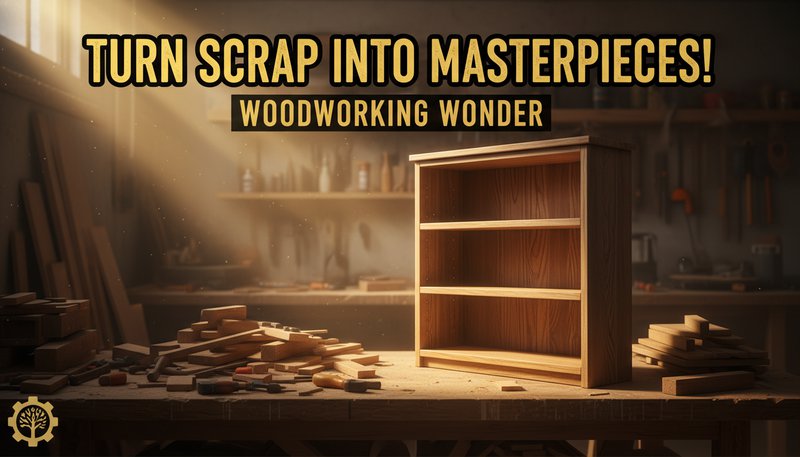
Got a DIY project video? Upload your half-built bookshelf and apply the 'Woodworking Wonder' style to highlight textures and add dramatic lighting. Suddenly, your thumbnail looks like furniture royalty, attracting viewers who’ll think, 'I can do that!' Boost engagement by 40% when your thumbnails match the 'Before & After' drama of your content.

A gritty workshop photo transformed into a polished woodworking thumbnail with golden light beams and bold text reading 'Turn Scrap into Masterpieces!'

Game On! Create Epic Gaming Thumbnails

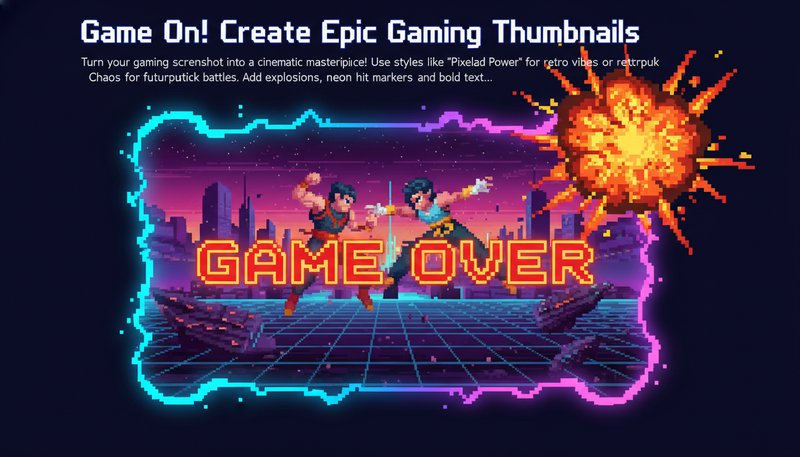
Turn your gaming screenshot into a cinematic masterpiece! Use styles like 'Pixelated Power' for retro vibes or 'Cyberpunk Chaos' for futuristic battles. Add explosions, neon hit markers, and bold text like 'Will You Survive?' to outshine competitors. Pro gamers report a 60% higher click-through rate with these eye-popping thumbnails.

A gaming screenshot with glowing pixel art borders, a glowing 'Game Over' text, and a giant fire explosion in the corner.

Teach with Impact: Engaging Edutainment Thumbnails

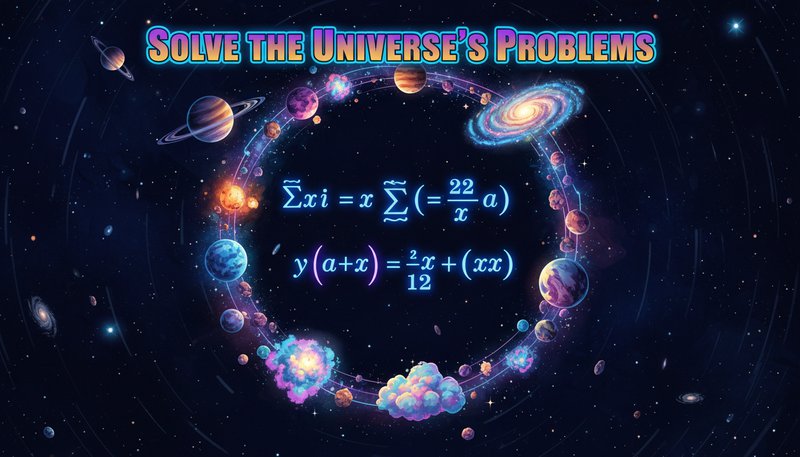
Educators, stop hiding behind boring slides! Turn your math concept into a 'Science Splash' thumbnail with glowing equations and space backgrounds. Or use 'Retro Classroom' for history lessons. Students click 3x more when your thumbnails look like fun adventures, not homework.

A math problem surrounded by glowing stars and planets, with text that reads 'Solve the Universe's Problems' in bold, colorful letters.

Holiday Magic: Seasonal Thumbnails That Glow

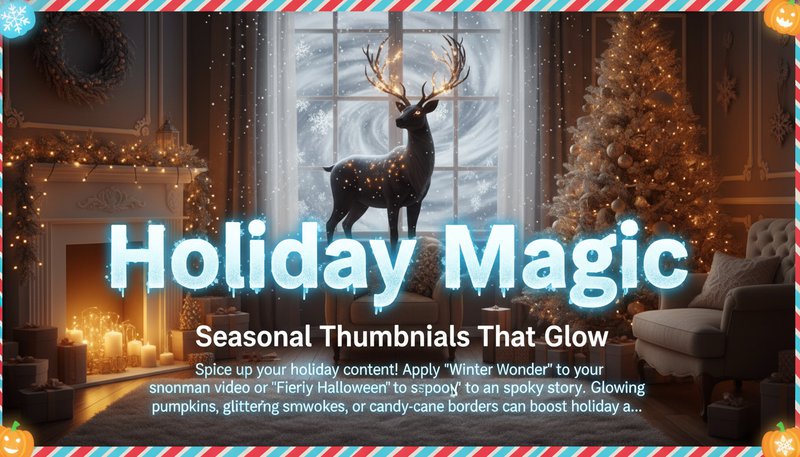
Spice up your holiday content! Apply 'Winter Wonder' to your snowman video or 'Fiery Autumn' to your themed story. Glowing seasonal elements, glittering snowflakes, or candy-cane borders can boost holiday ad revenue by 25%. Make your thumbnails the star of the season!

A cozy living room scene transformed into a glowing winter thumbnail with falling snow, a giant glowing 'Holiday Magic' text, and a festive reindeer silhouette.

What Our Users Say

A
Alex CarterContent Creator
★★★★★
This tool saved me hours! I can now create pro-looking thumbnails in minutes that match my gaming channel's vibe.
J
Jasmine LeeYouTube Educator
★★★★★
The AI understands instructional content perfectly—my 'how-to' thumbnails now stand out on YouTube search!
R
Rohan PatelVlogger
★★★★☆
Generated 10+ thumbnail variations for my vlog in 10 minutes. My audience loves the neon glow style!
S
Sarah WongSocial Media Manager
★★★★★
Streamlined our workflow! Now we batch-produce thumbnails faster than ever for client campaigns.
M
Michael TanPodcast Visualizer
★★★★★
The text overlay tool made my podcast episode thumbnails crystal-clear even on small screens.
L
Lila ChenFreelance Designer
★★★★☆
Perfect for clients who want quick thumbnail iterations. The style presets are always on-trend!

Step-by-Step: Make Your Perfect YouTube Thumbnail in Minutes

1

Step 1: Upload Your Masterpiece

Drag and drop your photo or design into the tool—no Photoshop degree required! Start with a blank canvas or existing image to transform.

2

Step 2: Choose Your Style Superpower

Pick from 20+ styles like 'Cyberpunk Glow,' 'Retro Vibe,' or 'Nature Magic' to instantly upgrade your image’s energy and vibe.

3

Step 3: Export & Conquer the Algorithm

Download your thumbnail, slap it on YouTube, and watch views skyrocket. Pro tip: Test 3 styles and let your audience vote!

Frequently Asked Questions

What is YouTube Thumbnail Maker and how does it work?

YouTube Thumbnail Maker is a tool that helps you create eye-catching thumbnails for your YouTube videos. Simply upload your photo, choose a style (like cinematic, neon tech, or clean minimalist), and the tool transforms it into a professional thumbnail that's perfect for YouTube in just seconds.

Do I need to be a designer to use this tool?

Not at all! The tool is designed for anyone, whether you're a YouTuber, content creator, or just starting out. Upload your photo, pick a style, and you're done. You can also add text and graphics if you want, but it's not required.

What types of photos work best for thumbnails?

Clear, well-lit photos work best. You can use photos of yourself, your product, or any image that represents your video. The tool accepts JPG, PNG, or WEBP files up to 20MB. The output will be automatically sized to YouTube's perfect thumbnail dimensions.

How long does it take to create a thumbnail?

Most thumbnails are created in under 10 seconds. Even complex designs usually take less than 30 seconds, so you can quickly create multiple options to see which one works best for your video.

Can I customize my thumbnail after it's created?

Yes! After the thumbnail is generated, you can add text, change colors, add your logo, or apply effects. The tool includes simple editing features so you can personalize your thumbnail to match your brand or style.

Is this tool free to use?

You can try the tool for free with 1-2 thumbnails per month. If you create videos regularly, you can upgrade to a premium plan for unlimited thumbnails and access to exclusive styles and features.

Will my thumbnail work on YouTube?

Absolutely! The tool automatically creates thumbnails in the correct size and format for YouTube (1280x720 pixels). All thumbnails meet YouTube's requirements, so you can upload them directly to your videos without any adjustments.